How to Build a Travel Agency Website in Framer (in an Afternoon)
From a blank workspace to a published travel site with a trips catalog, itineraries and enquiry forms. The exact order I would do it in, using a free template.
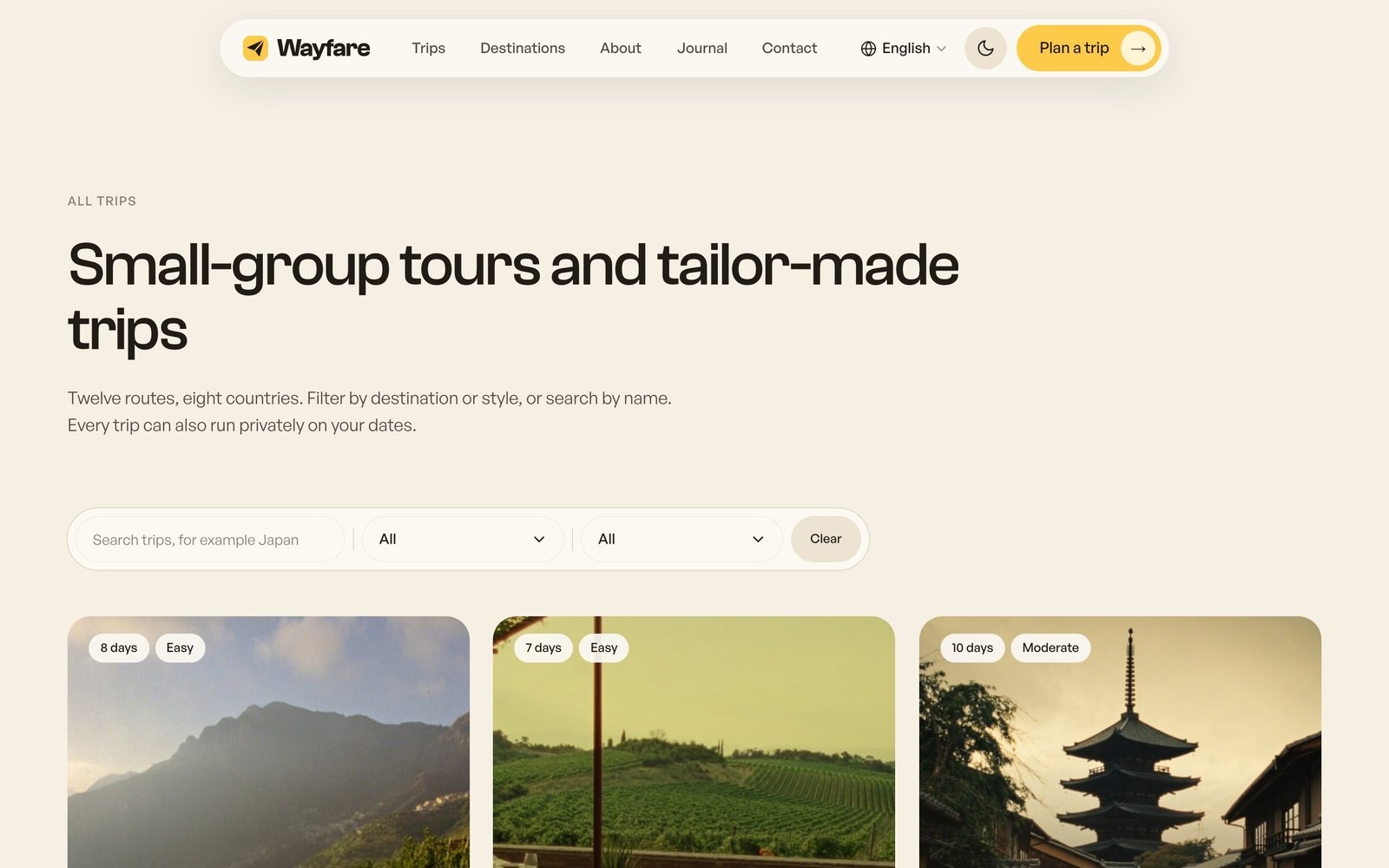
A travel agency site has a few jobs a normal business site does not: a catalog of trips with dates and prices, a page per trip that answers every question before the enquiry, and a form that collects the right details. Here is the order I would do it in, using Wayfare as the starting point because it already has all of that wired.
1. Remix a template with a trips CMS
Start from a template that already treats trips as CMS items, not as hand-built pages. Remix Wayfare and Framer copies the whole project, including 12 example trips, 8 destinations and the finder, into your workspace.
2. Put your trips in the CMS first
Open the Trips collection and replace the examples with your own. Each trip has a name, a destination, a travel style, the number of days, a difficulty, a starting price, a gallery, an overview, the day by day itinerary and what is included. Do this before touching the design. Once the data is real, every page starts to look like your business and the design decisions get easier.
3. Destinations and styles
Destinations are their own collection with a guide page each, and every destination page lists its own trips automatically. Travel styles power the dropdown in the finder and the hover slider on the home page. Keep the lists short. Five styles is plenty.
4. Make it yours
Three color styles and two fonts drive the whole site. Change them on the style guide page and every page follows. Swap the logo in the nav and the footer, and replace the photos. Real photos of your own trips beat stock every time, even when they are less polished.
5. Forms and where enquiries go
The trip page, the contact page and the newsletter each have a form with sending, success and error states. In Framer, form submissions land in the project's Forms panel and can be sent to your email. Test each one once after publishing. An enquiry form that quietly fails is the most expensive bug a travel site can have.
6. Search
Every page needs a title with the words people type, a meta description and a social image. The template has them on every page already, including the CMS pages, so you are editing, not writing from scratch. Keep the trip names descriptive: "Kyoto to Tokyo: Temples, Trains and Backstreets" ranks for more than "Japan Classic".
7. Spanish, or not
If you serve a bilingual market, the Spanish version is done and the switcher is in the nav. If you do not, remove the locale in Site Settings and the switcher disappears.
8. Publish
Publish to the free framer.website subdomain to check everything on a phone, then connect your domain. A paid Framer site plan is needed for a custom domain. Turn on dark mode, scroll every page in both, and send the link to one person who has never seen it. Their first question is your next fix.
The whole thing is an afternoon if your trip content is ready. The content is always the slow part, so start there.
All posts